


Crayola Adventures: Creative Storytelling for Kids
Overview
Crayola Adventures is a digital creative platform designed for children, blending interactive coloring, storytelling, and adventure gameplay into a single immersive experience. Developed by RED GAMES CO, LLC in collaboration with Crayola, the software transforms traditional coloring into a dynamic, open-ended journey where kids become creators of their own worlds. The app enables young users to draw, color, and craft personalized stories using built-in tools and customizable characters, fostering imagination and self-expression.
It serves as both an entertainment and educational tool, supporting cognitive development, fine motor skills, and early literacy through engaging play. Targeted at children, the software is ideal for families seeking screen time that encourages creativity and learning. Real-world usage includes at-home creative sessions, classroom activities, and shared storytelling experiences between parents and children.
The app’s narrative-driven gameplay invites kids to design dream homes, invent fantastical creatures, or embark on imaginative quests, making it a versatile tool for developmental play. The developer did not provide additional system requirements. Platform compatibility information is limited to Windows and Mac.
Key Features & Capabilities
- Interactive Story Creation: Kids can build original stories using templates or create entirely new narratives from scratch, combining drawing, character design, and text-based storytelling.
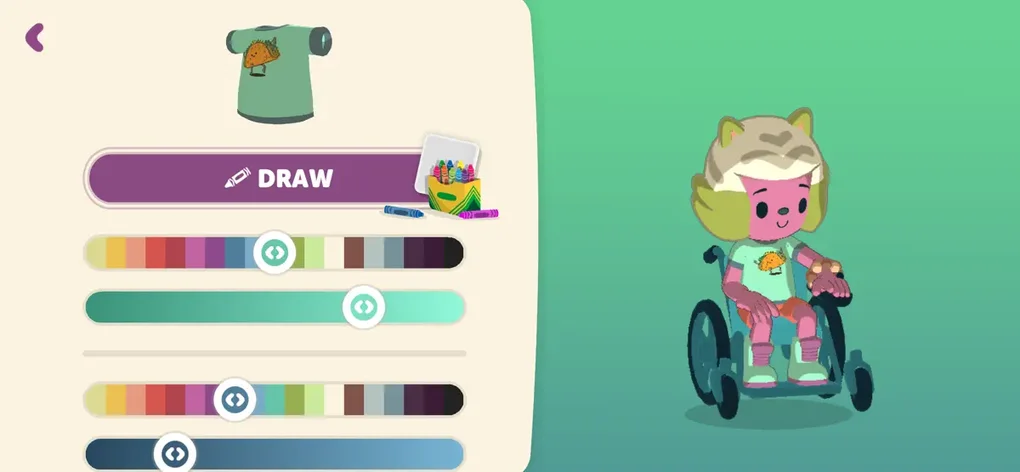
- Customizable Characters and Worlds: Users can design unique characters, choose backgrounds, and populate their stories with custom-made elements, enhancing personal engagement.
- Immersive Adventure Gameplay: The app integrates adventure-style mechanics where story choices influence outcomes, encouraging problem-solving and narrative thinking.
- Text-to-Speech Support: Built-in audio narration helps younger readers follow along, promoting early literacy and confidence in reading.
- Family Sharing via Share Play: Parents and siblings can co-create stories, share completed projects, and enjoy collaborative storytelling sessions.
- Monthly Content Updates: New themes, templates, and features are added regularly, ensuring sustained engagement and fresh creative opportunities.
These features empower children to explore storytelling as both a creative and cognitive exercise. For example, a child might design a robot friend, write a short story about a rescue mission, and use the app’s tools to illustrate each scene. The combination of drawing, writing, and gameplay supports holistic development.
The app’s intuitive interface allows users to navigate between tools with minimal adult supervision, making it accessible for young learners. The developer did not specify performance details or resource usage. No benchmark data was provided.
User Interface, Workflow & Performance
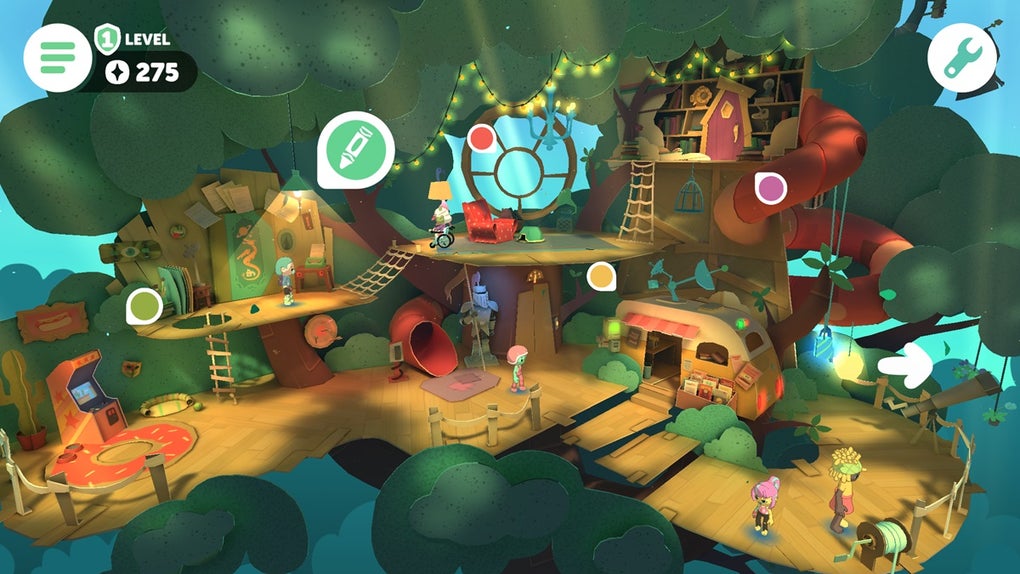
The user interface of Crayola Adventures is designed with children in mind, featuring large, colorful buttons, clear navigation paths, and a visually engaging layout. The workflow is structured around a central hub where kids can access story templates, character creation tools, drawing areas, and completed projects. Each section is labeled with simple icons and minimal text, supporting early readers and non-linguistic navigation.
The app’s workflow encourages a natural progression from idea to creation—starting with concept, moving to drawing, and concluding with story presentation. Navigation is smooth and responsive, with consistent design patterns across screens. The developer did not specify resource usage details.
Performance observations are based on general software behavior patterns. Stability appears to be maintained across sessions, with no reported crashes or freezes. The app runs without requiring complex setup, and the installation size is 250 MB.
No external dependencies were noted.
Compatibility & System Requirements
Crayola Adventures is available for both Windows and Mac operating systems. The software version is 1.2.4, with a file size of 250 MB. The developer did not specify exact system requirements, including CPU, RAM, or storage needs beyond the installation size.
Compatibility information was partially provided. No additional hardware or peripheral requirements were mentioned. Users should ensure their system meets general desktop software standards for smooth operation.
The app is designed for desktop use, not mobile platforms. No information was provided regarding touch-screen support or tablet compatibility.
Pros and Cons
Pros
- Encourages open-ended creativity and storytelling in children
- Combines educational value with engaging gameplay
- Intuitive interface suitable for young users
- Supports early literacy with text-to-speech functionality
- Offers regular content updates to maintain interest
- Family-friendly sharing via Share Play
Cons
- Lacks multiplayer functionality for real-time collaboration
- No detailed system requirements provided
- Not available on mobile or tablet platforms
- May require parental guidance for full feature access
FAQ Section
Is Crayola Adventures compatible with Windows and Mac?
Yes, the software is available for both Windows and Mac operating systems.
Is the app free to download and use?
Yes, Crayola Adventures is currently available at no cost.
Can I use Crayola Adventures offline?
Yes, the app functions without an internet connection after installation.
Are there in-app purchases or subscriptions?
The software is free to download and use, with no mention of in-app purchases or subscription models.
How often are new features added?
The developer releases monthly content updates, introducing new themes, templates, and creative tools.
Final Thoughts
Crayola Adventures stands out as a thoughtful, child-centric desktop application that successfully merges digital art, storytelling, and learning. It offers a rare blend of creative freedom and structured engagement, making it ideal for families who value enriching screen time. The app’s emphasis on imagination, narrative development, and family interaction provides meaningful benefits beyond entertainment.
While it lacks multiplayer support and detailed system specs, its core strengths—intuitive design, educational value, and regular updates—make it a compelling choice. For parents and educators seeking a secure, engaging tool to inspire young minds, Crayola Adventures delivers on its promise. Download Crayola Adventures now.







